One Piece Card Game API: How to Fetch Real-Time OPCG Card Prices
A complete developer guide to BerryWallet — the One Piece Card Game API by PokéWallet. Fetch real-time TCGPlayer and CardMarket prices for all OP sets. Free tier available.
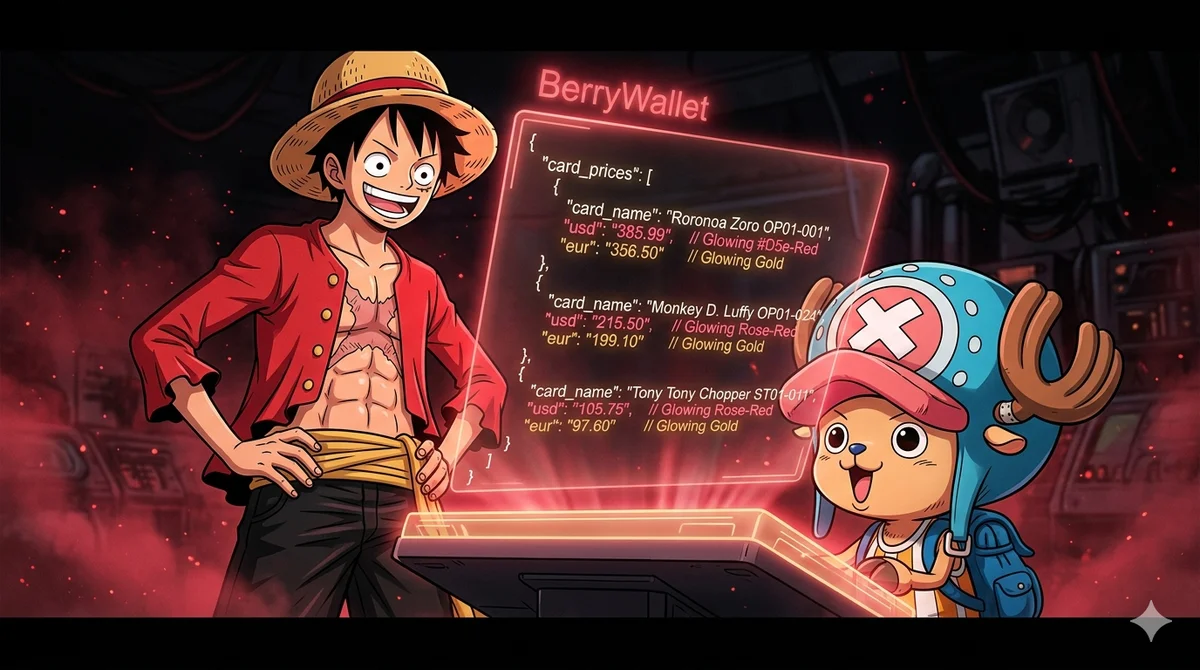
One Piece Card Game API: How to Fetch Real-Time OPCG Card Prices
⚓ DEVELOPER GUIDE: BerryWallet is the One Piece Card Game API by PokéWallet — named after the Berry, the currency of the One Piece world. This guide walks you through fetching real-time card prices, browsing sets, and building price trackers — all with the same API key you already use for Pokémon TCG.
If you're building a One Piece Card Game price tracker, a collection app, or any tool that needs real-time OPCG market data, this guide covers everything you need to know about BerryWallet, the One Piece Card Game API.
Why Build with BerryWallet?
The OPCG market has grown dramatically since its international release in 2022. Sets like Romance Dawn (OP01), Paramount War (OP02), and the newer releases generate significant secondary market activity on both TCGPlayer (USD) and CardMarket (EUR).
Most developers trying to build OPCG tools run into the same problem: there's no reliable, free API for One Piece card prices. Scrapers break with every site update, and manual data collection doesn't scale.
That's what we built BerryWallet for. Just as PokéWallet tracks the value of Pokémon collections, BerryWallet does the same for the One Piece Card Game — with the same infrastructure, the same API key, and dual-market coverage from day one.
Getting Started
1. Get Your API Key
Sign up at pokewallet.io/dashboard to get a free API key. No credit card required.
BerryWallet shares the same API key as PokéWallet — one key for both Pokémon TCG and One Piece endpoints. No separate signup needed.
2. Authentication
Pass your key as an HTTP header on every request. Both methods work:
# Recommended
X-API-Key: your_api_key_here

# Also accepted
Authorization: Bearer your_api_key_here
3. Base URL
All One Piece endpoints live under the /op/ prefix:
https://api.pokewallet.io
Core Endpoints
List All One Piece Sets
Returns all One Piece sets ordered by release date. You can filter by language (en or jp).
curl -H "X-API-Key: your_api_key" \
     "https://api.pokewallet.io/op/sets?language=en"
Response:
{
  "success": true,
  "data": [
    {
      "name": "Romance Dawn",
      "set_code": "OP01",
      "set_id": "3188",
      "language": "en",
      "release_date": "2022-12-02"
    },
    {
      "name": "Paramount War",
      "set_code": "OP02",
      "set_id": "3189",
      "language": "en",
      "release_date": "2023-03-10"
    }
  ],
  "total": 100
}
Note: set_id maps to the internal group_id. Positive values are TCG sets (available on both TCGPlayer and CardMarket); negative values are CM-only sets with no TCGPlayer data. Set images are not available for One Piece sets.
Get All Cards and Prices for a Set
This is the most useful endpoint for collection trackers. It returns a paginated card list for a specific set with both TCGPlayer and CardMarket prices:
curl -H "X-API-Key: your_api_key" \
     "https://api.pokewallet.io/op/sets/OP01?page=1&limit=50"
The :setCode path parameter accepts OP01, a numeric group_id like 3188, or a fuzzy variant like EB01 (automatically tries EB-01).
Query parameters: page (default: 1) and limit (default: 50, max: 200).
Response:
{
  "success": true,
  "set": {
    "set_code": "OP01",
    "set_id": "3188",
    "name": "Romance Dawn",
    "language": "en",
    "release_date": "2022-12-02"
  },
  "total": 50,
  "page": 1,
  "limit": 50,
  "data": [
    {
      "id": "op_3f8a12c4e9b7d02f...",
      "card_number": "OP01-001",
      "name": "Roronoa Zoro",
      "clean_name": "Roronoa Zoro",
      "sub_type_name": "Normal",
      "rarity": "L",
      "card_type": "Leader",
      "ext_color": "Red",
      "ext_cost": null,
      "ext_power": "5000",
      "ext_life": "5",
      "ext_subtypes": "Straw Hat Crew;Supernovas",
      "ext_attribute": "Slash",
      "ext_counterplus": null,
      "ext_description": "[DON!! x1] ...",
      "tcgplayer": {
        "url": "https://www.tcgplayer.com/product/...",
        "prices": {
          "low_price": 1.20,
          "market_price": 1.76,
          "high_price": 3.50
        }
      },
      "cardmarket": {
        "product_name": "Roronoa Zoro (OP01-001)",
        "product_url": "https://www.cardmarket.com/...",
        "prices": { "avg": 1.64, "low": 0.50, "trend": 1.70 }
      }
    }
  ]
}
Cards from CM-only sets (negative group_id) have tcgplayer: null and all ext_* fields are null. The total field is the full card count for the set, not just the current page.
Get a Single Card by ID
Once you have a card id from a set or search response, fetch its full details directly:
curl -H "X-API-Key: your_api_key" \
     "https://api.pokewallet.io/op/cards/op_3f8a12c4e9b7d02f..."
The id must include the op_ prefix. The response structure matches the card objects returned by /op/sets/:setCode.
Search Cards by Name
curl -H "X-API-Key: your_api_key" \
     "https://api.pokewallet.io/op/search?q=zoro&page=1&limit=20"
Full-text search on card name and card number (ILIKE %q%). The limit parameter defaults to 20, max 100.
Response:
{
  "success": true,
  "data": [
    {
      "id": "op_3f8a12c4e9b7d02f...",
      "card_number": "OP01-001",
      "name": "Roronoa Zoro",
      "sub_type_name": "Normal",
      "rarity": "L",
      "card_type": "Leader",
      "tcgplayer": {
        "url": "https://www.tcgplayer.com/product/...",
        "prices": { "low_price": 1.20, "market_price": 1.76, "high_price": 3.50 }
      },
      "cardmarket": {
        "product_name": "Roronoa Zoro (OP01-001)",
        "product_url": "https://www.cardmarket.com/...",
        "prices": { "avg": 1.64, "low": 0.50, "trend": 1.70 }
      }
    }
  ],
  "total": 12,
  "page": 1,
  "limit": 20
}
Known limitations: queries containing apostrophes (e.g. d'artagnan) return 0 results. CM-only cards are not indexed — only TCG cards appear in search results.
Bulk Prices for a Set (Pro)
If you only need raw prices for an entire set, the /op/prices endpoint returns all variants (Normal and Foil as separate rows) without pagination:
curl -H "X-API-Key: your_api_key" \
     "https://api.pokewallet.io/op/prices?set_code=OP01"
You can use set_code=OP01 or group_id=3188 (at least one is required).
Response:
{
  "success": true,
  "group_id": "3188",
  "total": 159,
  "data": [
    {
      "card_number": "OP01-001",
      "name": "Roronoa Zoro (001)",
      "variant": "Normal",
      "tcgplayer": {
        "low_price": 1.20,
        "market_price": 1.76,
        "high_price": 3.50,
        "mid_price": 2.10,
        "direct_low_price": 1.50,
        "updated_at": "2026-05-14T00:00:00Z"
      },
      "cardmarket": {
        "avg": 1.64,
        "low": 0.50,
        "trend": 1.70,
        "avg1": 1.60,
        "avg7": 1.65,
        "avg30": 1.70,
        "updated_at": "2026-05-14T00:00:00Z"
      }
    },
    {
      "card_number": "OP01-001",
      "name": "Roronoa Zoro (001) (Foil)",
      "variant": "Foil",
      "tcgplayer": { "low_price": 3.50, "market_price": 4.20, "high_price": 6.00 },
      "cardmarket": { "avg": 3.80, "low": 2.50, "trend": 3.90 }
    }
  ]
}
Pro feature — a 7-day free trial is available from your dashboard. Ideal for building a collection value calculator: fetch once per day and cache.
Building a Price Tracker in JavaScript
Here's a minimal example that fetches the top 10 most expensive cards from any OPCG set by TCGPlayer market price:
async function getTopOPCards(setCode, apiKey) {
  const res = await fetch(
    `https://api.pokewallet.io/op/sets/${setCode}?limit=200`,
    { headers: { 'X-API-Key': apiKey } }
  );
  const data = await res.json();

  return data.data
    .sort((a, b) =>
      (b.tcgplayer?.prices?.market_price ?? 0) -
      (a.tcgplayer?.prices?.market_price ?? 0)
    )
    .slice(0, 10);
}

const top10 = await getTopOPCards('OP01', 'your_api_key');
console.log(top10);
Normal vs. Foil — How OPCG Pricing Works
In the One Piece Card Game, Normal and Foil variants are distinct products on both TCGPlayer and CardMarket. The /op/prices endpoint reflects this directly — each variant appears as a separate row with its own variant field ("Normal" or "Foil").
The /op/sets/:setCode endpoint returns the card's primary variant (usually Normal) with prices nested inside tcgplayer.prices and cardmarket.prices.
| Endpoint | Foil handling |
|---|---|
GET /op/sets/:setCode | Primary variant per card (Normal by default) |
GET /op/prices (Pro) | Separate rows per variant — variant: "Normal" and variant: "Foil" |
A null value on tcgplayer or cardmarket means no market data is available for that source.
Rate Limits
Rate limits are shared across Pokémon and One Piece endpoints and apply both hourly and daily:
| Plan | Hourly limit | Daily limit | Price |
|---|---|---|---|
| Free | 100 requests | 1,000 requests | $0/month |
| Coffee ☕ | 1,000+ requests | 10,000+ requests | Buy a coffee on Ko-fi |
| Pro | 5,000 requests | 50,000 requests | €20/month |
| Business | Custom | Custom | Contact us |
Every API response includes rate limit headers so you can track usage:
X-RateLimit-Limit-Hour: 100
X-RateLimit-Remaining-Hour: 95
X-RateLimit-Limit-Day: 1000
X-RateLimit-Remaining-Day: 823
Frequently Asked Questions
Is there a free One Piece Card Game API?
BerryWallet offers a free tier that requires no credit card and provides 100 requests per hour and 1,000 requests per day. Developers can fetch real-time OPCG card prices, browse all sets, and search by card name without spending anything. Paid plans start at €20/month (Pro: 5,000 requests/hour, 50,000/day).
What One Piece card price data does BerryWallet return?
BerryWallet returns real-time prices from two sources for every card: TCGPlayer (USD, North American market) and CardMarket (EUR, European market). TCGPlayer prices include low_price, market_price, and high_price. CardMarket prices include avg, low, and trend. The Pro /op/prices endpoint additionally returns historical averages (avg1, avg7, avg30) and direct_low_price from TCGPlayer Direct.
Does BerryWallet support European prices in EUR?
BerryWallet returns CardMarket EUR prices for every card that has European market data. The cardmarket.prices object includes avg (average sale price in EUR), low (lowest listed price), and trend (7-day trend price). European developers can use these fields directly without any currency conversion. CardMarket covers all major European markets including Germany, France, Italy, Spain, and the Netherlands.
Does BerryWallet support Japanese One Piece cards?
BerryWallet indexes both English and Japanese One Piece Card Game sets. Pass language=jp to GET /op/sets to retrieve only Japanese sets, or language=en for English. Japanese sets return the same price structure — TCGPlayer USD and CardMarket EUR — where marketplace data is available.
Which One Piece sets are available in BerryWallet?
BerryWallet covers every released One Piece Card Game set starting from OP01 Romance Dawn (December 2022) through the latest releases, including Extra Booster sets (EB series) in both English and Japanese. Call GET /op/sets to retrieve the complete list with set codes, release dates, and language tags.
How often does BerryWallet update prices?
BerryWallet updates card prices from both TCGPlayer and CardMarket once per day. Every price object returned by /op/prices includes an updated_at ISO timestamp. The recommended usage pattern is to fetch prices once daily and cache the response locally.
What is the difference between TCGPlayer and CardMarket prices in BerryWallet?
TCGPlayer and CardMarket are separate secondary marketplaces that reflect distinct regional demand. TCGPlayer serves the United States and Canada market and prices are denominated in USD. CardMarket serves the European market and prices are denominated in EUR. The same One Piece card regularly trades at different price points across the two platforms. BerryWallet returns both in a single response so applications can display the correct regional price without additional API calls.
Do I need a separate API key for BerryWallet and PokéWallet?
BerryWallet and PokéWallet share a single API key. The same key authenticates requests to both the One Piece (/op/) and Pokémon TCG endpoints, and the rate limit quota is shared across both. There is no separate signup or additional cost to access BerryWallet data.
Can I retrieve One Piece card images through BerryWallet?
The GET /images/:id endpoint serves One Piece card images via CDN. The id path parameter accepts the card's number (e.g. OP01-001). Images are returned as binary content and can be embedded directly in any web or mobile application.
Which programming languages work with BerryWallet?
BerryWallet is a standard REST API that works with any language capable of making HTTP GET requests: JavaScript, Python, PHP, Ruby, Go, Swift, Kotlin, Java, Rust, and others. Authentication requires only the X-API-Key header. No SDK or client library is needed.
Start Building with BerryWallet
BerryWallet is live and free to use. Visit pokewallet.io/berrywallet to get started, grab your API key at pokewallet.io/dashboard, and check the full endpoint reference at pokewallet.io/berrywallet-docs.
Questions? Join the Discord community — we're happy to help.